
📋
Exact copies
Not "these look similar". Byte-for-byte identical files, proven with a full cryptographic hash before Googie will ever call them copies.
Your camera roll has been quietly collecting clutter for years. Googie Gogo clears it out in minutes — duplicates, old screenshots, the eleven near-identical shots of the same sunset — and keeps every memory that actually matters.
How it works
No menus to learn, no settings to configure. One photo at a time, one flick of the thumb, and your library gets better with every decision.
The photo stays exactly where it is, completely untouched.
Into the basket. Nothing is deleted until you confirm the whole batch.
Straight into your real Apple Photos favourites. Not a separate list.
Some photos are hard. Save the decision for a day when it isn't.
The app
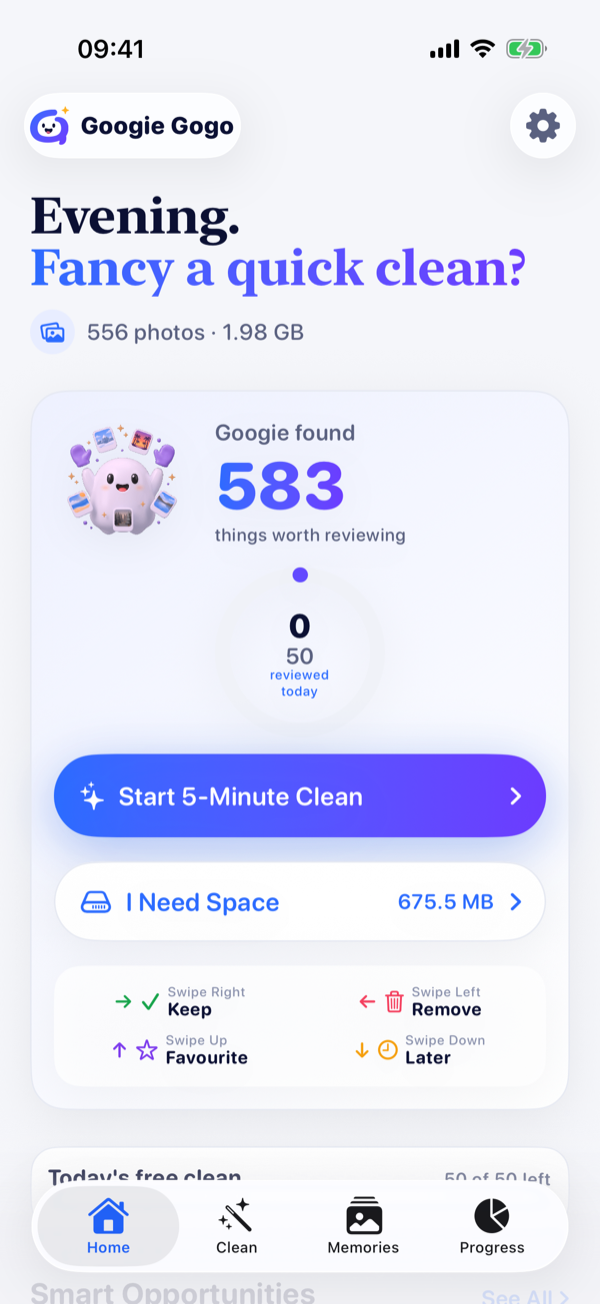
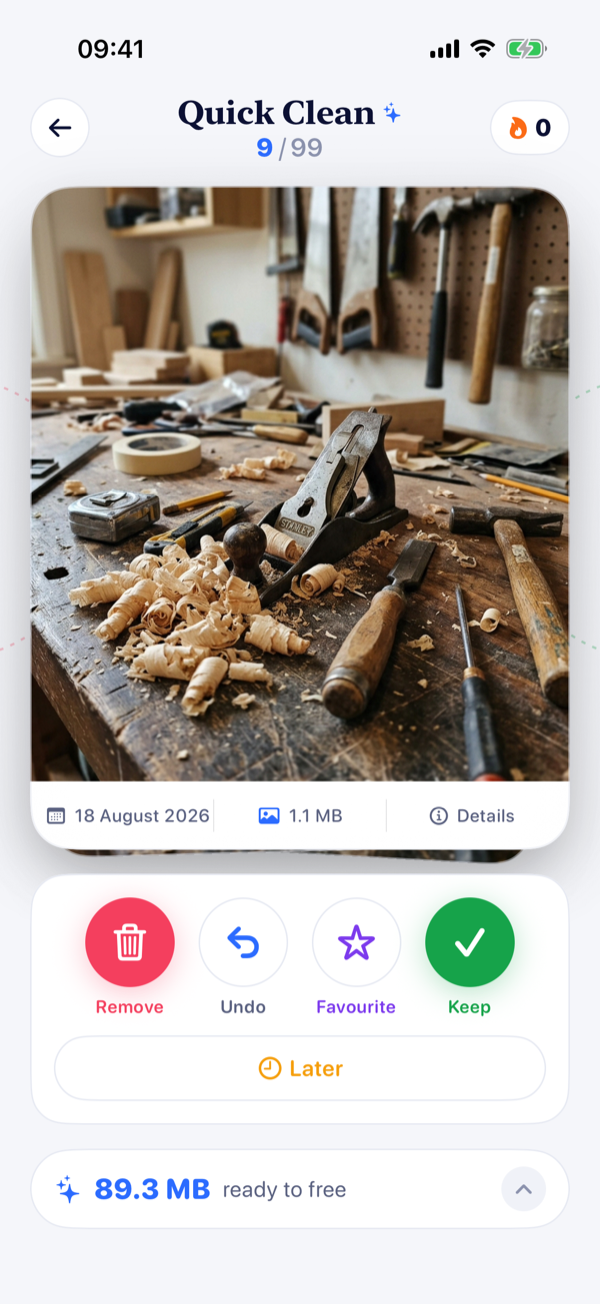
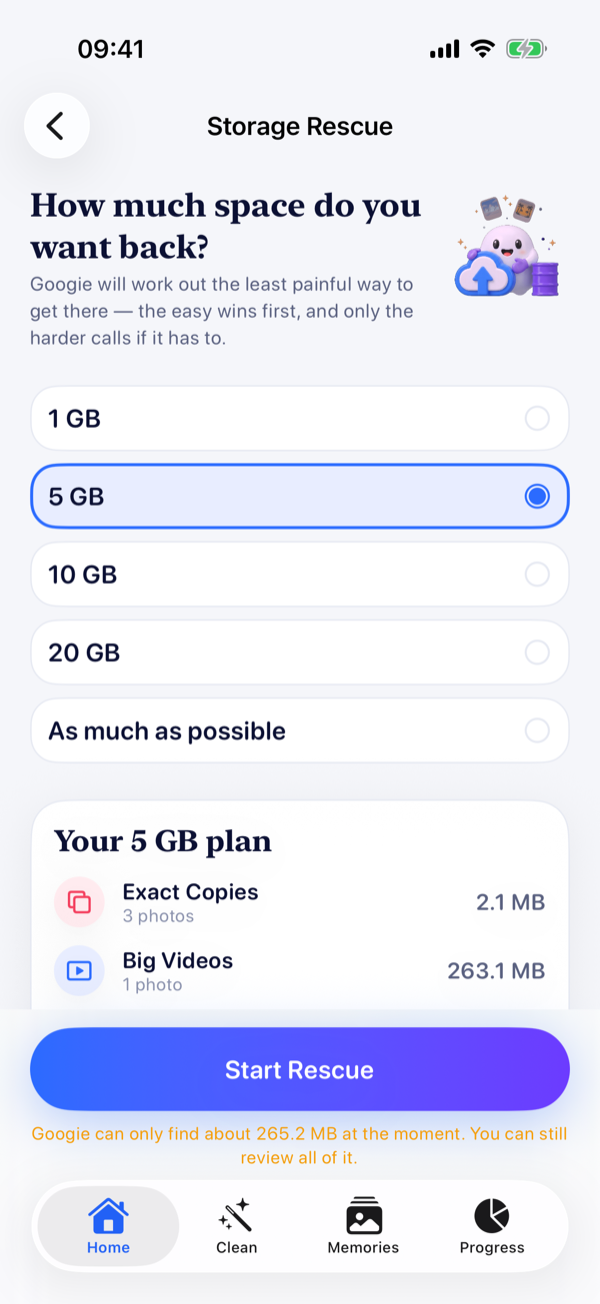
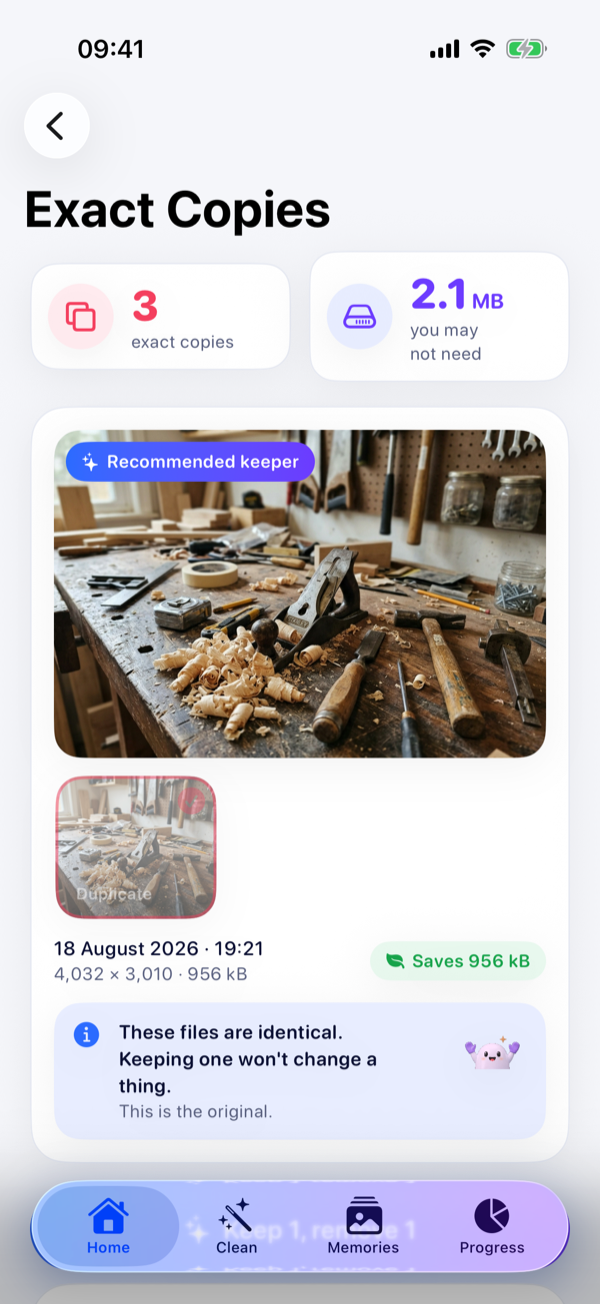
Real screenshots from the app, taken automatically on a test library. Nothing here is a mock-up.
What Googie finds
Googie works through your library in the background and surfaces the easy wins first — the things you'll never miss — so the first minute is the most rewarding one.
Not "these look similar". Byte-for-byte identical files, proven with a full cryptographic hash before Googie will ever call them copies.
The eleven photos of the same pose. Googie groups them by what they actually look like and suggests the sharpest one to keep.
Hundreds of them, from years ago. Googie holds back the ones that look like tickets, receipts or QR codes, because those still matter.
Sorted by the space they'd give you back. The single fastest way to free a few gigabytes before lunch.
Got an afternoon? Start at your oldest photo and work forwards through the years. Googie never shows you the same photo twice.
Tell Googie you need 5 GB back and it plans the least painful route there — the copies and the clutter first, and only the harder calls if it has to.
A first-class action, not a cop-out. The photos that are hard to face go in a pile that never nags you.
Storage Rescue
Sometimes you don't want to tidy up. You want to install something, or record something, and the phone won't let you. Tell Googie how much space you need and it works out the shortest way to get it.
Safety
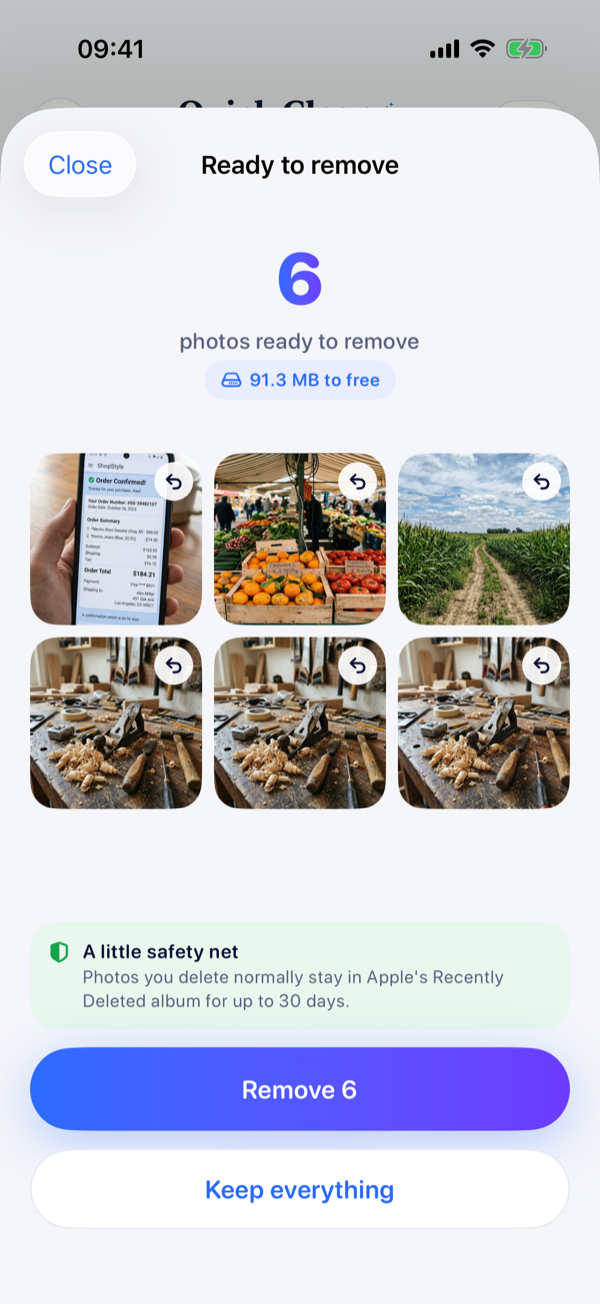
Swiping left puts a photo in a basket. You see everything in it, you can pull anything back out, and only you decide when — or whether — the batch actually goes.

Privacy
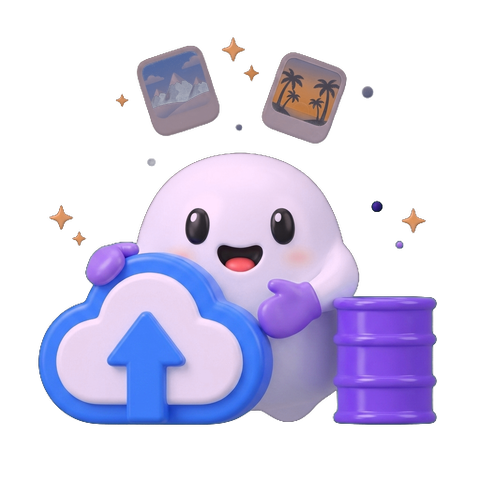
Googie is a photo app that never sees your photos. Every bit of analysis — duplicate hashing, similarity, blur scoring, screenshot classification — runs on your iPhone using Apple's own frameworks.
Keep going
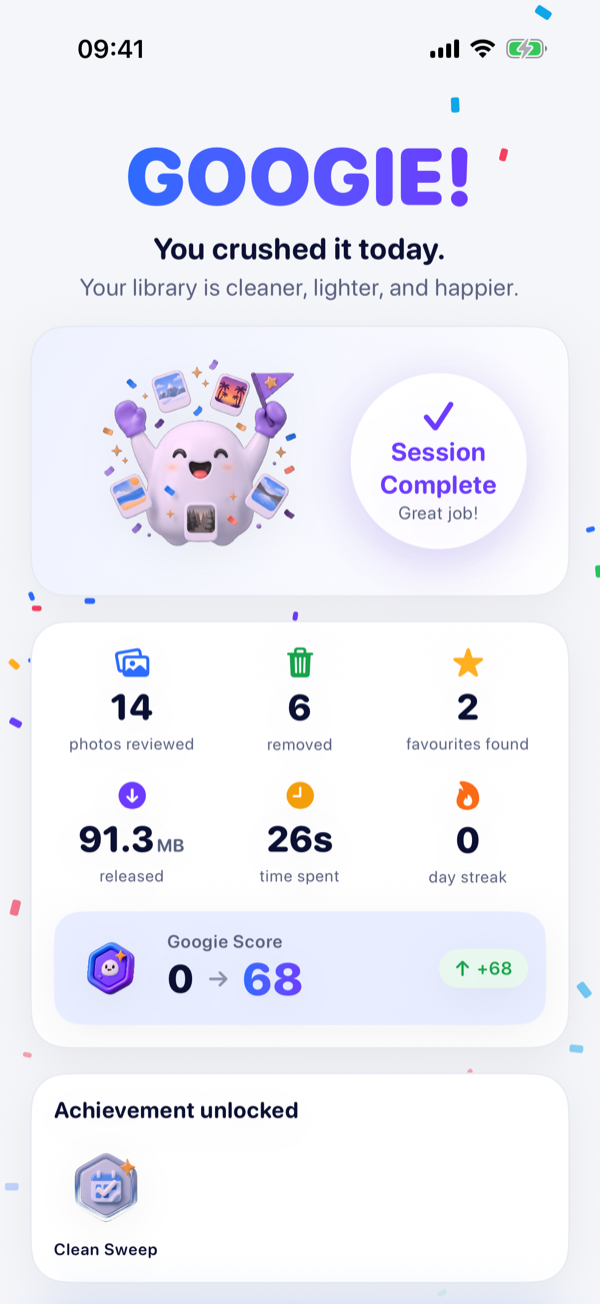
Googie rewards you for reviewing your library, never for deleting the most. Streaks are forgiving, celebrations are earned, and nothing here will push you into regretting a photo.
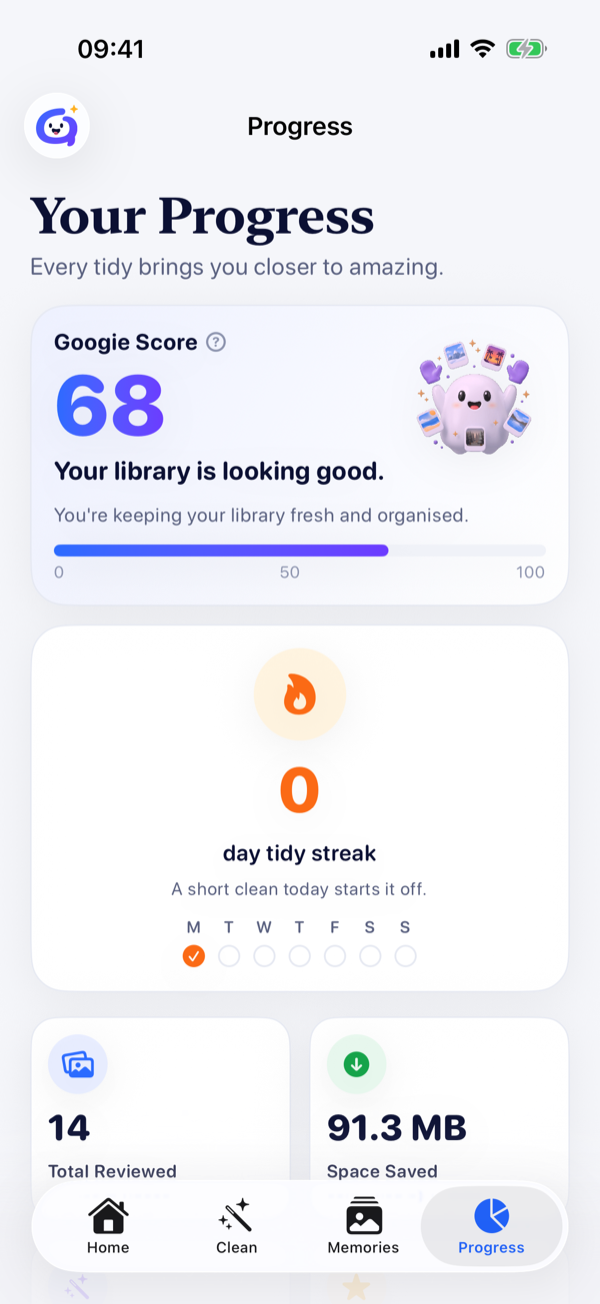
One honest number for how tidy your library is, with every component shown so you can see exactly what moved it.
Two minutes counts as a day. Miss one and your streak survives — life happens, and Googie knows it.
Confetti when you finish a whole year of photos, not every time you flick a card. Celebrations you actually earned.
 First Sweep
 1 GB Club
 Double Vision
 Screenshot Slayer
 Memory Keeper
 Time Traveller
 Big Win
 Archivist
Pricing
The free version is a real product, not a trial: 50 photos a day, every day, for as long as you like — swipe cleaning, exact duplicates, screenshots, big videos, monthly cleans, streaks and Apple Favourites, all of it. Pro removes the daily limit and adds the clever bits.
Pro removes the 50-a-day limit and adds Similar Shots, Best Shot, blurry photo detection and Storage Rescue. Prices shown in GBP; your App Store shows your local price. Download free, then upgrade inside the app whenever you like.
Questions
No. Swiping left only stages a photo. Deletion happens once, at the end, on a batch you have reviewed and confirmed — and Apple Photos asks you again before anything goes. Deleted photos normally stay in your Recently Deleted album for up to 30 days.
No, and there isn't one to create — there is no sign-in of any kind. Googie Pro is tied to your Apple Account by the App Store, so it works on every device you're signed into and restores itself automatically, and Googie never sees your name or your email address.
Never. All analysis happens on your device using Apple's Vision and PhotoKit frameworks. There is no photo upload in the app at all — not for analysis, not for support, not for analytics.
It reads both files and compares a SHA-256 hash of their full contents, streamed so a 4 GB video never has to fit in memory. Anything that hasn't passed that test is described as "similar" or "identical-looking", never as an exact copy.
Limited photo access is fully supported. Googie works with exactly the photos you've shared and tells you plainly that's what it's doing. You can add more whenever you like.
Yes. Googie Gogo is a universal app; the layouts adapt to a bigger screen rather than being stretched.
Fifty photos a day, every day, permanently — roughly a five-minute session. Swipe cleaning, exact duplicates, screenshots, big videos, monthly cleans, streaks, achievements and Apple Favourites integration are all included. The allowance resets at midnight and nothing you've already done is ever taken away.
Time, mostly. A 5,000-photo library is about three and a half months of daily free sessions, or a weekend with Pro. On top of that, Pro adds the features that need Apple's on-device vision models — Similar Shots, Best Shot and blurry photo detection — plus Storage Rescue.
No. It's on the home screen from the moment you open the app for the first time, it counts down while you clean, and it tells you when it's getting close. If you run out, the photos you've already sorted stay sorted and your basket is still there tomorrow.
From the App Store, on iPhone and iPad running iOS 18 or later: Googie Gogo: Photo Cleaner on the App Store. It's free to download, and Googie Pro is an optional in-app purchase.
Still stuck? Visit support or email hello@googiegogo.com — we reply within 1 UK business day.

Two minutes today. A library you actually love by the weekend.
Requires iOS 18 or later. iPhone and iPad.